
Directory listing · OpenAI
ChatGPT social media publishing with SimplePost
The SimplePost plugin lets ChatGPT publish what you write together. Ask for a post, see a visual preview for every network right in the conversation, change it in plain language, and schedule it. SimplePost handles the accounts, validation and delivery.
SimplePost's MCP access is included on every plan and the 7-day free trial. You keep your own AI subscription.
Connection method
How ChatGPT connects to SimplePost
What you need
- A SimplePost account on the free trial or a paid plan (MCP is included on every plan).
- At least one social account connected in the SimplePost web app.
- A ChatGPT plan and workspace that allow apps. Availability of plugins, apps and write actions is decided by OpenAI and your workspace admin.
What it enables
What ChatGPT can do with SimplePost
- List the social accounts you connected in SimplePost.
- Draft a post and show an interactive preview for each network inside the chat.
- Create different versions per network in one post, such as a single post for X and LinkedIn and a thread for Threads and Bluesky.
- Schedule posts, publish immediately, or save drafts.
- Show your SimplePost calendar for a day, week or month, including open posting slots.
- Upload images and videos you attach in ChatGPT.
- Inspect, edit, reschedule or discard drafts and scheduled posts.
It works through SimplePost's social media MCP server. ChatGPT cannot connect social accounts, read engagement analytics or change posts that are already published; those stay in the SimplePost web app or on the network.
Setup
Set up SimplePost in ChatGPT
Connect your social accounts
Start the SimplePost trial and connect the networks you want to publish to under Accounts.
Install the SimplePost plugin
Open the SimplePost listing in ChatGPT and select + to install it.
Authorize
Sign in to SimplePost with the same account and approve access when ChatGPT asks.
Start a new chat
Enable SimplePost in the conversation and ask it to list your accounts.
Authentication
Sign-in, permissions and tokens
- ChatGPT authorizes with OAuth and PKCE. You approve access on a SimplePost page; ChatGPT never sees your password or any social network token.
- The granted scopes cover reading accounts and posts, validating posts, and writing posts. Access tokens expire after 90 days, and you can revoke access at any time.
- If your workspace does not allow the listed plugin, a custom app with the server URL https://app.simplepost.social/mcp is an alternative where developer mode is available.
Workflow
Example: publish to X, LinkedIn, Threads and Bluesky tomorrow at 10
The first three prompts come from the SimplePost team's own ChatGPT recording of 22 September 2026, shown below. In the recording, the last step used an open Friday slot; here it schedules for tomorrow at 10:00. One idea, two shapes, four networks, one scheduled post.
Show me my weekly schedule on SimplePost.
Result: ChatGPT opens the SimplePost calendar widget with your scheduled posts and open posting slots.
Create a preview for a post on X and LinkedIn saying how easy it is to use SimplePost.
Result: A preview with a network switcher appears for X and LinkedIn. Nothing is saved yet.
Turn this into a thread for Threads and Bluesky.
Result: ChatGPT adds a per-account version for Threads and Bluesky, split into posts that fit each network, and shows the thread preview.
Schedule them all for tomorrow at 10:00 Europe/Berlin.
Result: One SimplePost post is scheduled: a single post on X and LinkedIn and a thread on Threads and Bluesky, all at 10:00.
Screen recording from the SimplePost team on 22 September 2026, ChatGPT mobile app, shown without sound. 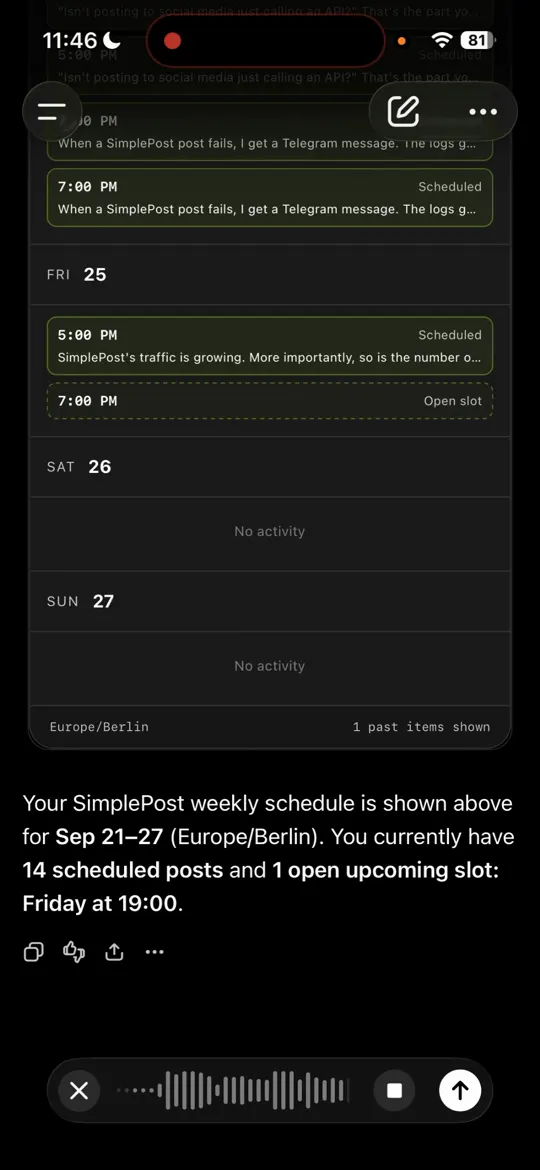
The SimplePost calendar in ChatGPT, with scheduled posts and an open slot. 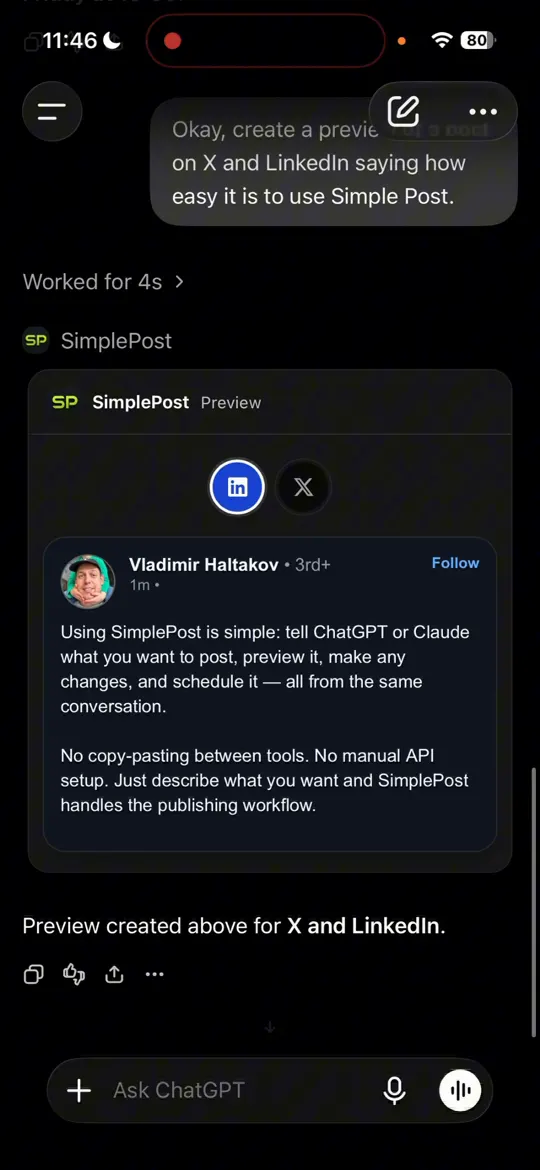
Preview widget with a switcher for LinkedIn and X. 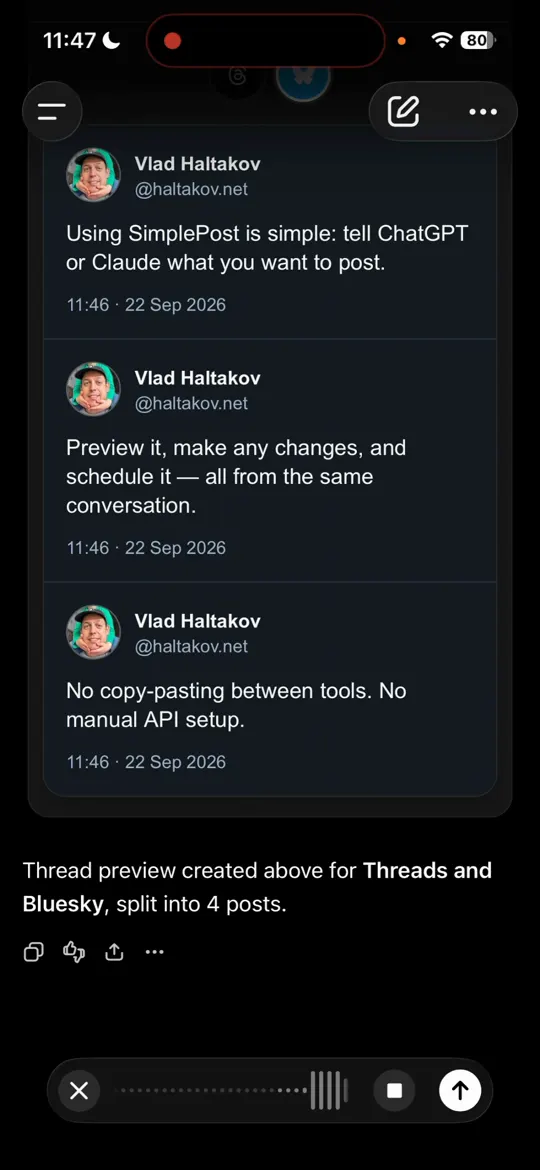
The same idea as a thread for Threads and Bluesky. 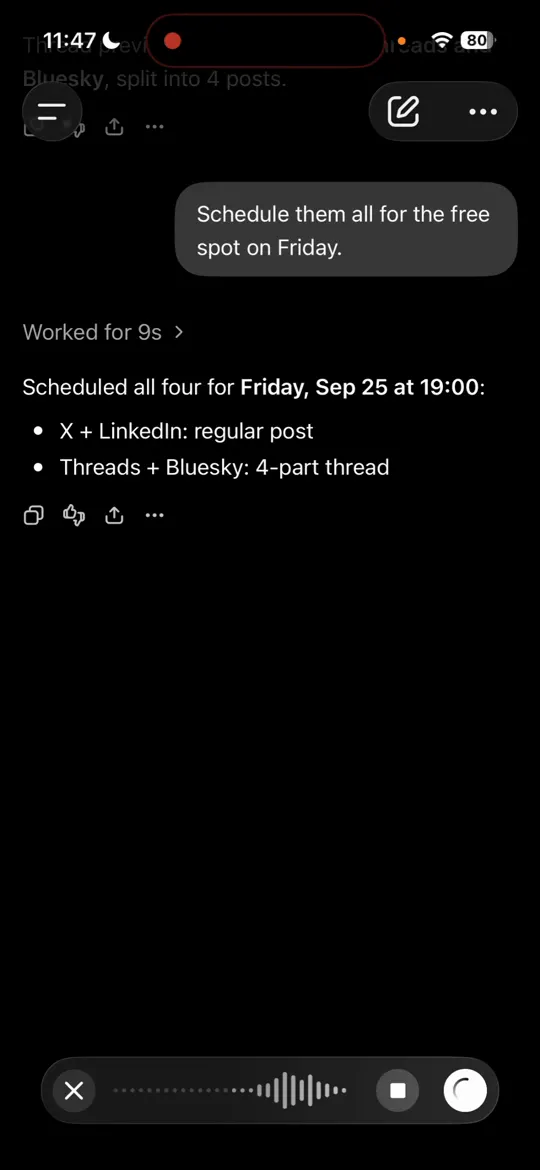
Confirmation: X and LinkedIn as a regular post, Threads and Bluesky as a four-part thread.
Per-network versions
General and platform-specific versions
- Everything ChatGPT schedules for several networks can live in one SimplePost post: the shared message goes to every account, and per-account overrides replace the text, media or thread for specific accounts.
- Ask for the versions you want in plain language ("shorter for X", "a thread for Bluesky", "no hashtags on LinkedIn"); ChatGPT maps them to overrides and the preview shows each one.
- SimplePost validates every version against its network's rules, so an X version over 280 characters or an Instagram post without an image is flagged before scheduling.
Post lifecycle
Preview, schedule, publish and manage posts
| Preview | show_post_preview renders an interactive preview widget in the chat; nothing is written. |
|---|---|
| Schedule | create_post with a scheduled time stores the post in SimplePost's queue. |
| Publish now | create_post publishes immediately and reports the result per account. |
| View scheduled posts | show_schedule opens the calendar; inspect_posts lists drafts, scheduled, posted or failed posts. |
| Update or cancel | update_scheduled_post edits a draft or future post; discard_scheduled_post deletes it before it is sent. |
Supported platforms
Networks ChatGPT can publish to
All ten hosted networks work the same way from ChatGPT: X, LinkedIn, Instagram, Facebook, Threads, Bluesky, TikTok, YouTube, Pinterest and Telegram. These platform guides are most relevant here:
- Schedule X (Twitter) posts with AIPosts, threads of up to 25 posts, quotes and media on X, with weighted-length checks before publishing.
- Schedule LinkedIn posts with AIPersonal-profile posts with up to 9 images or a video, visibility settings and a feed preview.
- Schedule Threads posts with AIText posts, reply chains, quotes and carousels of up to 20 images and videos on Threads.
- Schedule Bluesky posts with AIPosts, threads and quotes with up to 4 images or a video on Bluesky, with alt text support.
- Schedule Instagram posts with AIPhotos, Reels and carousels of up to 10 items for professional accounts, with media checks before publishing.
Troubleshooting
If ChatGPT cannot publish
SimplePost is not available in my ChatGPT
Plugins and apps depend on your ChatGPT plan, region and workspace settings. Ask your workspace admin, or use the SimplePost web composer in the meantime.
ChatGPT says there are no accounts
Connect the social account in the SimplePost web app first, then ask ChatGPT to list accounts again. Make sure you authorized ChatGPT with the same SimplePost login.
An attached image is not used
Attach the file in the same message, or give a public URL. Local file paths and blob URLs do not work with the hosted server.
The widget does not appear
Every SimplePost tool also returns a text result. Ask ChatGPT to describe the preview, or open the post in the SimplePost web app.
FAQ
ChatGPT and SimplePost questions
Can ChatGPT post to social media?
Yes, with the SimplePost plugin. ChatGPT sends posts to SimplePost, which publishes them to X, LinkedIn, Instagram, Facebook, Threads, Bluesky, TikTok, YouTube, Pinterest or Telegram, now or at a scheduled time.
Can ChatGPT post to LinkedIn?
Yes. Connect your LinkedIn profile in SimplePost and ask ChatGPT to create the post. SimplePost publishes it to your personal profile; company pages are not supported in the hosted app.
Does ChatGPT publish without asking me?
ChatGPT follows your instructions. Ask for a preview or a draft and nothing is published. If you give exact content, accounts and a time, it can schedule or publish directly, and ChatGPT may ask you to confirm write actions.
Is the SimplePost plugin made by OpenAI?
No. SimplePost is an independent product available in ChatGPT. It uses the Model Context Protocol and OAuth like other ChatGPT apps.
Do I need a paid SimplePost plan?
You can start with the 7-day free trial, which includes MCP access and 10 posts per platform. After that, MCP is included on every paid plan starting with Basic.
Guides and documentation
Guides
Publish from ChatGPT this week
7 days free · No credit card · 10 posts per platform during the trial