
Supported platform · LinkedIn
Schedule LinkedIn posts with AI
SimplePost publishes to your personal LinkedIn profile. Draft a post with ChatGPT, Claude or another assistant, check how the first lines look in the feed, choose who can see it, and schedule it. The same post can go to your other networks in a shorter or threaded form.
7-day free trial on every platform. No credit card required.
Northwind Studio • 3rd+
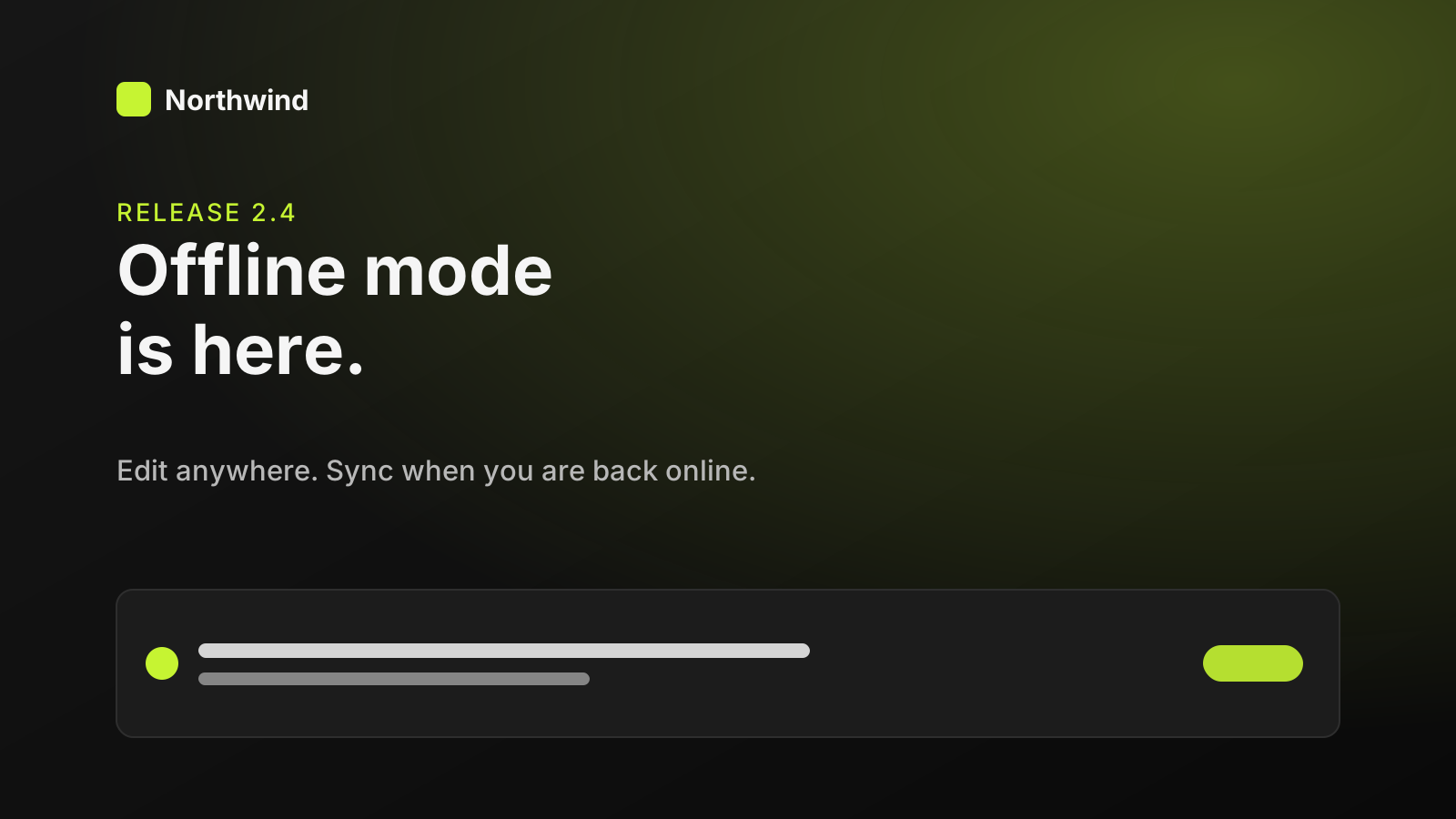
The most common support message we got last year: "I lost my edits on the train." Today that stops. Northwind 2.4 adds offline mode. Everything you change is saved on your device first. When you reconnect, it syncs, and if a teammate edited the same item, you review the conflict before anything is merged. What's the one place you always lose your connection?
Quick answer
Can ChatGPT post to LinkedIn?
Yes, through SimplePost. Connect your LinkedIn profile in the SimplePost web app and install the SimplePost plugin in ChatGPT. ChatGPT can then draft the post, show a preview, and publish it to your profile now or at a scheduled time. It works the same way from Claude and other MCP clients.
- What you connect
- Your personal LinkedIn profile
- What you can publish
- Text, up to 9 images or 1 video, quotes
How it works
How SimplePost supports LinkedIn
The hosted LinkedIn connection uses LinkedIn's member posting permission, so posts are published as you, on your personal profile. Company Page posting is not available in the hosted app today.
LinkedIn has no native thread format. If a post includes follow-up segments for other networks, LinkedIn receives only the first post, and SimplePost warns you before publishing. Use a per-account override to give LinkedIn one longer, self-contained version instead.
Supported content types
- Text posts
- Up to 3,000 characters, with your line breaks preserved.
- Image posts
- One image or a multi-image post with up to 9 images.
- Video posts
- One video per post, up to 200 MB.
- Quotes and reposts
- Quote an earlier post published through SimplePost, or schedule an automatic repost of your own post.
Before you connect
LinkedIn account requirements and limits
SimplePost validates these rules when you schedule and again when the post becomes due.
Account requirements
- A LinkedIn account you can sign in to. SimplePost posts to that member profile.
- No LinkedIn developer app is needed for the hosted service; SimplePost supplies the OAuth app.
- Company Pages are not supported by the hosted connection. Posts cannot be published as an organization.
Limitations to know
- Posts go to your personal profile only. Organization pages, articles, newsletters, documents (PDF carousels) and polls are not supported.
- Videos over 200 MB are rejected even though LinkedIn accepts larger files through multipart uploads.
- Video that is not H.264 or HEVC gets a warning, because LinkedIn may fail to process it.
Text and media limits
| Text | 3,000 characters |
|---|---|
| Images | Up to 9 per post; LinkedIn limits each image to about 36 million pixels |
| Animated GIF | Up to 250 frames |
| Video | 1 per post, up to 200 MB (SimplePost uses LinkedIn's single-request upload) |
| Mixing | Images and video cannot be combined in one post |
| Threads | Not supported by LinkedIn; only the first post is published |
LinkedIn settings in SimplePost
| Visibility | Public (default) or Connections only. |
|---|---|
| Automatic repost | Repost your own post 1 to 720 hours after it is published. |
With your assistant
How AI assistants publish to LinkedIn
Assistants are well suited to LinkedIn's longer format. Give Claude or ChatGPT your notes and ask for a post with a strong opening line, short paragraphs and no hashtags, then ask it to save a draft to your LinkedIn account and show the preview.
Set visibility through the post's LinkedIn options, for example "visible to connections only". If you do not mention it, the post is public.
When you publish the same idea elsewhere, ask the assistant for per-account versions in a single post, such as a detailed LinkedIn post and a short X hook, rather than separate posts.
All assistants use the same SimplePost MCP server, so the accounts, validation and results are identical whichever one you use.
- OpenAIChatGPT and LinkedInInstall the SimplePost plugin in ChatGPT to preview, schedule and publish posts on ten networks.
- AnthropicClaude and LinkedInConnect SimplePost from the Claude directory to prepare, adapt, preview and schedule posts.
- AnthropicClaude Code and LinkedInAdd the SimplePost MCP server with one command and publish release announcements from your repository.
- AnysphereCursor and LinkedInAdd SimplePost to Cursor's mcp.json so the agent can announce releases on your social accounts.
Example workflow
From idea to a scheduled LinkedIn post
Connect LinkedIn
In SimplePost, open Accounts → Connect account → LinkedIn and sign in with the profile you want to post from.Draft in your assistant
Share the idea, audience and any facts that must be included. Ask for a post under 1,300 characters so the whole post is easy to read.Preview the feed card
Ask the assistant to save a draft and show the LinkedIn preview. Check the first two lines and the image.Schedule
Confirm the time and visibility, then schedule. SimplePost returns the post URL after it publishes.
List my SimplePost accounts. Write a LinkedIn post for my profile about our new offline mode: open with the problem it solves, keep paragraphs short, end with a question, no hashtags. Attach https://northwind.example/release-card.png, save it as a draft and show me the LinkedIn preview. Then schedule it for Wednesday at 08:30 in my timezone once I say it's good.
Example prompt. Replace the example links and times with your own; a draft is not published until you schedule or publish it.
Scheduling and preview
How LinkedIn scheduling and previews behave
- The preview recreates LinkedIn's feed card with your name, the text and the image layout, so you can check the first lines before the "see more" cut and see how a multi-image grid is arranged.
- Scheduled LinkedIn posts are validated again when they become due. If the LinkedIn connection has expired, the post is marked failed with the reason, and Reconnect in Accounts fixes it.
- Choose times with the calendar's posting slots, or ask the assistant to show your week before it picks one.
Cross-posting
Cross-post from LinkedIn to other networks
One scheduled post, with a LinkedIn version that differs from the other networks:
| The full story above, with the release card image. Public visibility. | |
| X | "Northwind 2.4 adds offline mode. Edit anywhere, sync later." plus the same image. |
| Threads | A three-post thread that walks through the feature. |
Resources
LinkedIn tools, guides and documentation
FAQ
LinkedIn scheduling questions
Can SimplePost post to a LinkedIn company page?
Not in the hosted app today. The LinkedIn connection publishes to your personal profile only. If you need company page posting, schedule those posts natively in LinkedIn for now.
Can I schedule LinkedIn posts from ChatGPT?
Yes. With LinkedIn connected in SimplePost and the SimplePost plugin installed in ChatGPT, ask ChatGPT to create the post with a scheduled time. SimplePost stores it and publishes it to your profile at that time.
Can I post a LinkedIn carousel?
You can publish a multi-image post with up to 9 images. LinkedIn's document (PDF) carousels are not supported.
Who can see posts SimplePost publishes on LinkedIn?
Public by default. You can set a post's LinkedIn visibility to Connections only in the post's platform settings or by asking your assistant.
What happens to threads on LinkedIn?
LinkedIn does not support reply chains, so only the first post is published and SimplePost shows a warning. Give LinkedIn its own single-post version with a per-account override.
Other supported platforms
- Schedule X (Twitter) posts with AI
- Schedule Instagram posts with AI
- Schedule Threads posts with AI
- Schedule Bluesky posts with AI
- Schedule Facebook Page posts with AI
- Schedule TikTok videos with AI
- Schedule YouTube uploads with AI
- Schedule Pinterest Pins with AI
- Schedule Telegram posts with AI
- Compare all platforms
Schedule your first LinkedIn post
7 days free · No credit card · 10 posts per platform during the trial